Difficulty
Moderate
Steps
4
Time Required
00:10:00

In Progress
This guide is currently being written. Reload periodically to see the latest changes.
Quiz
0
-
-
Sometimes the code in the Makelangelo plotter robot is updated with improvements. Sometimes you might change from a Makelangelo 5 to HUGE or vice versa. These steps will help you make the change.
-
The update tool in File > Update firmware will help you to upload the new code to your robot.
-
Depending on your operating system, there may be extra steps.
-
-
-
The update tool relies on another program called avrdude. There are many ways to install it. This is one example.
-
Install Homebrew: Please see https://brew.sh/ for instructions. It should be two lines to copy and paste.
-
Install avrdude: from a terminal window run brew install avrdude
-
-
-
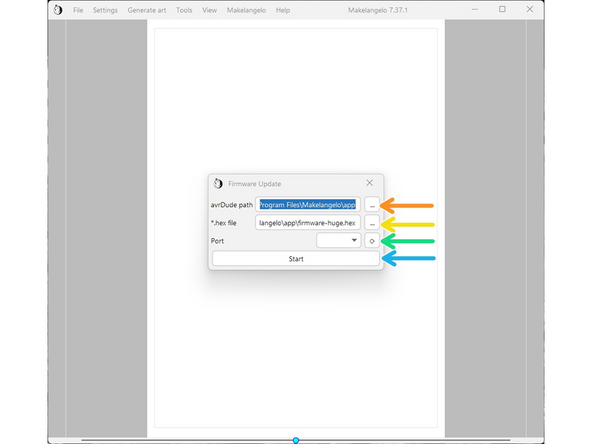
In avrDude path, click the '...' and surf to C:\Program Files\Makelangelo\App
-
In *.hex file, do the same thing and then click on firmware-huge.hex for HUGE or firmware-m5.hex for Makelangelo 5.
-
Connect the USB cable to the robot on the left side of the motherboard. Turn on power. Click the turning arrow button to the right of "port". A COM port should appear in the dropdown box.
-
Press Start. The application should take about 20 seconds to upload the firmware.
-
Now go to the last step - almost done!
-
-
-
If it immediately says "finished", something has failed. Please contact us for more help.
-
After successful upload the LCD panel will probably say there is an EEPROM change. Accept the change. Turn the dial and press in to click/accept.
-
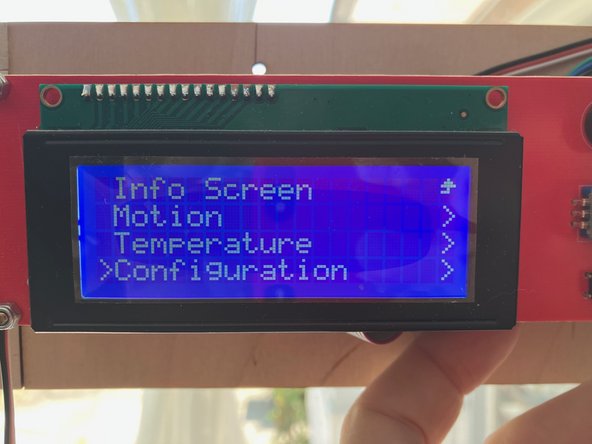
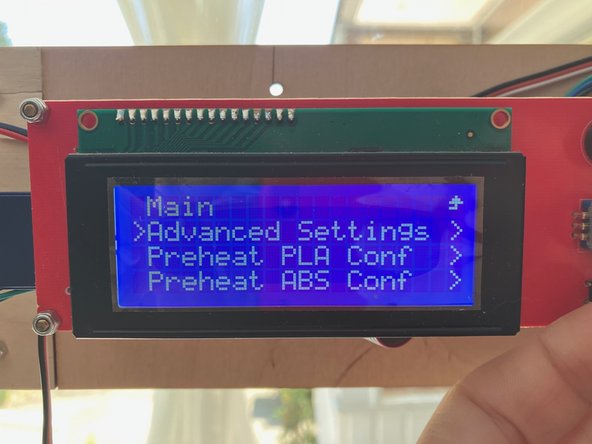
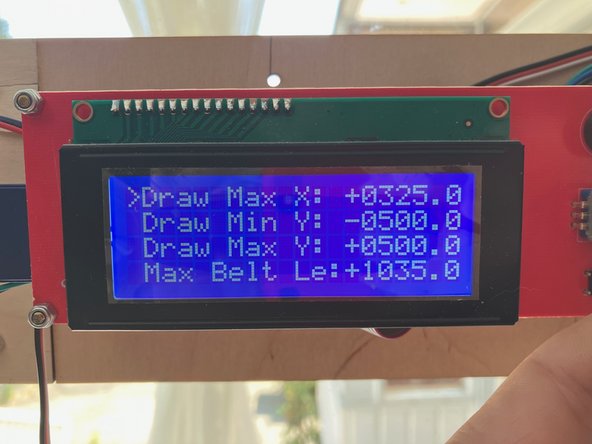
Confirm the change has been applied. Click the dial, navigate to Configuration > Advanced Settings.
-
For M5, verify that Draw Min X is -325, Draw MinY is -500, and Belt length is 1035.
-
For HUGE, verify that Draw Min X is -683, Draw MinY is -1000, and Belt length is 2035.
-