Introduction
This guide will show you the hardware and software upgrades needed to convert a Makelangelo 5 to a Makelangelo HUGE. Once you're done you'll be able to draw as before but now bigger than ever!
Tools
Parts
No parts specified.
-
-
Makelangelo HUGE is 1366mm wide and 2m tall. Some assembly will be needed to convert M5 to HUGE. An M3 hex head screwdriver will be needed.
-
The firmware code in the robot's brain needs to be adjusted to compensate for the new size. The Windows version of the Makelangelo Software can make this change.
-
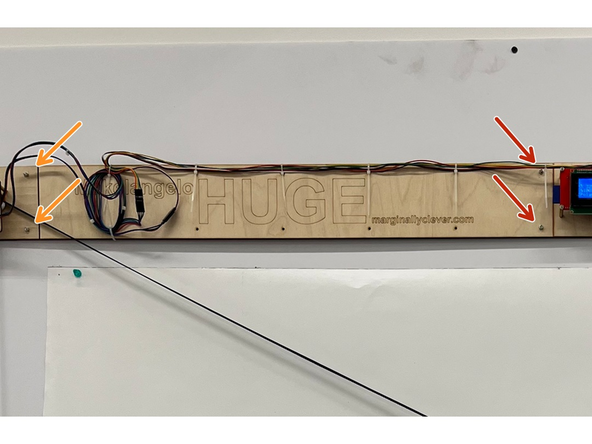
Some cables will need extensions for the HUGE size. These are included in the upgrade kit.
-
The assembled belt need to be replaced with the belts for the HUGE.
-
-
-
There are two cables from the left side motor. A 4-wire stepper motor cable...
-
and a 3 wire limit switch cable.
-
Follow these wires back to the motherboard. Some people take a picture of how they are connected for reference.
-
Notice the 4 wire cable is connected to the left stepper. Make a note of the colors and their orientation. The extension cables might not be a perfect color match and we don't want to reconnect them backwards.
-
Notice the left limit switch cable is connected to the X- pin. Again, take note of the color and orientation.
-
With power off, gently disconnect the traced wires.
-
-
-
Using an M3 alan key (hex key), undo the screws that hold the left and right sides together. A Torx T10 or an imperial 1/8 will also work.
-
Add the extension bar and refasten the screws.
-
Use the provided screws in the HUGE kit to fasten the left side motor to the other end of the extension bar.
-
It can help to have a friend hold the machine while you fasten the screws. Another way is to flip it length-wise so that you can access it from both sides while it rests on the limit switches.
-
-
-
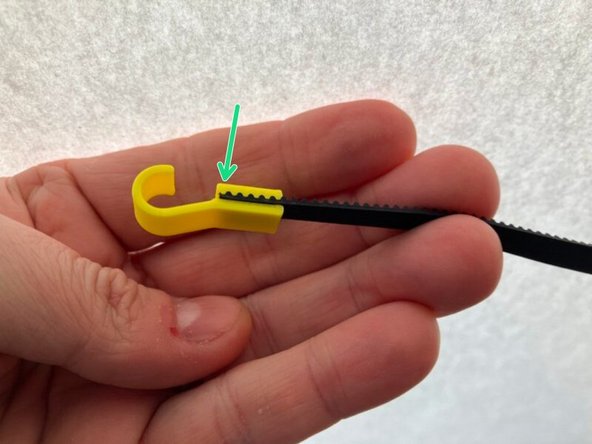
By default the M5 comes with 1m timing belt pre-assembled for ease of use. The upgrade kit comes with 2m belts.
-
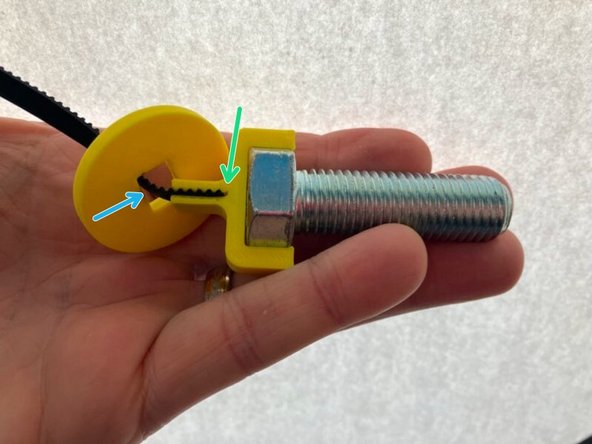
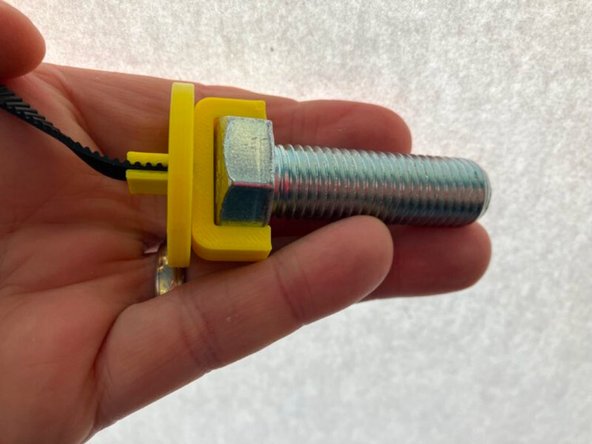
Take careful note of the position of each belt in their connectors and match the fit for best performance (square drawings free of curvature).
-
The disc has a rectangular hole. Make sure the long/wide side of the rectangle is touching the belt to ensure a snug fit.
-
-
-
On the left hand side of the robot there are two cables: from the limit switch (3 wires)...
-
...and one from the stepper motor (4 wires).
-
Using your previous notes, add one extension to each of the cables and connect them back to the main control board.
-
There will be more 3 wire extension cables left. Connect them all in a line to the pen holder for later.
-
-
-
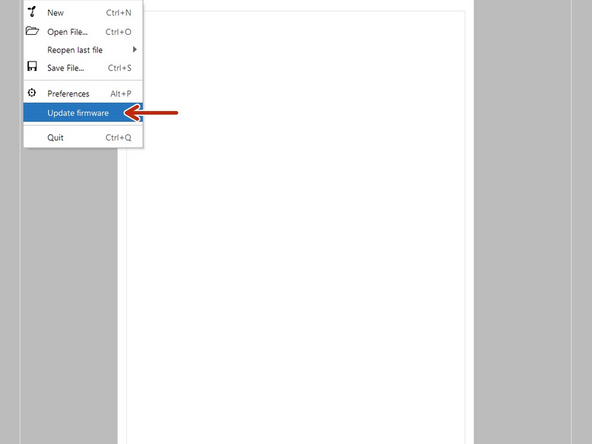
By default all Makelangelos are tested as 5s. The latest edition of Makelangelo Software for Windows only includes an upgrade tool. It is located under File > Update firmware
-
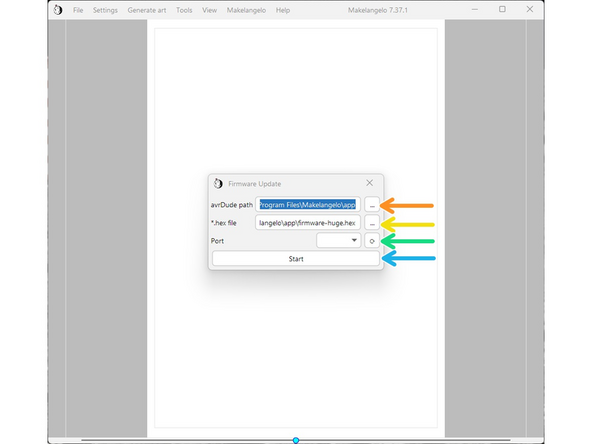
In avrDude path, click the '...' and surf to C:\Program Files\Makelangelo\App
-
In *.hex file, do the same thing and then click on firmware-huge.hex
-
Connect the USB cable to the robot on the left side of the motherboard. Turn on power. Click the turning arrow button to the right of "port". A COM port should appear in the dropdown box.
-
Press Start. The application should take about 20 seconds to upload the firmware.
-
If it immediately says "finished", something has failed. Please contact us for more help.
-
After successful upload the LCD panel will probably say there is an EEPROM change. Accept the change.
-
Confirm the change has been applied. Click the dial, navigate to Configuration > Advanced Settings, and verify that Draw Min X is -683, Draw MinY is -1000, and Belt length is 2035.
-