Difficulty
Moderate
Steps
4
Time Required
- Makelangelo HUGE setup 4 steps

In Progress
This guide is currently being written. Reload periodically to see the latest changes.
Quiz
0
-
-
Makelangelo HUGE is 1366mm wide and 2m tall. Some assembly will be needed to convert M5 to HUGE. An M3 hex head screwdriver will be needed.
-
The firmware code in the robot's brain needs to be adjusted to compensate for the new size. The Windows version of the Makelangelo Software can make this change.
-
Some cables will need extensions for the HUGE size. These are included in the upgrade kit.
-
The assembled belt and counterweights need to be replaced with the belts for the HUGE.
-
-
-
There are two cables from the left side motor. A 4-wire stepper motor cable...
-
and a 3 wire limit switch cable.
-
Follow these wires back to the motherboard. If you like, take a picture of how they are connected.
-
Notice the 4 wire cable is connected to the left stepper driver with the blue wire on the left.
-
Notice the left limit switch cable is connected to the X- pin with the red wire on the left.
-
With power off, gently disconnect them.
-
-
-
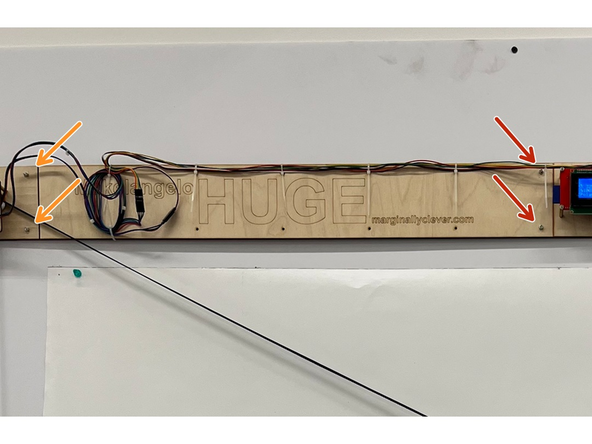
Using an M4 alan key (hex key), undo the screws that hold the left and right sides together.
-
Add the extension bar and refasten the screws.
-
Use the provided screws in the HUGE kit to fasten the left side motor to the other end of the extension bar.
-
-
-
There are three cables that need to be extended.
-
The 4-wire stepper cable has a matching 1m extension in the upgrade kit. The color match of the connection does not matter as long as the end result is the same - whichever color wire is connected to the stepper blue wire is also connected to the driver left side.
-
The 3-wire limit switch cable has a matching 3-wire 1m extension. Same as the stepper, the important thing is to get the red wire of the limit switch to connect to the left side of X- connection.
-
The 3-wire servo cable should have matching color extensions. These can be added at the loose tail end of the wire. The colors should match.
-