Difficulty
Moderate
Steps
2
Time Required
- How to move around the 3D view 2 steps

In Progress
This guide is currently being written. Reload periodically to see the latest changes.

Private
This guide will not appear in search results and can only be viewed by team members!
Quiz
0
-
-
Pan and tilt: Drag the mouse while holding the middle mouse button.
-
Dolly: Drag the mouse while holding the middle mouse button and SHIFT.
-
Pedestal and Truck: Drag the mouse while holding the right mouse button and SHIFT.
-
Orbit: Drag the mouse while holding the right mouse button. Change the orbit distance by rolling the mouse wheel.
-
-
-
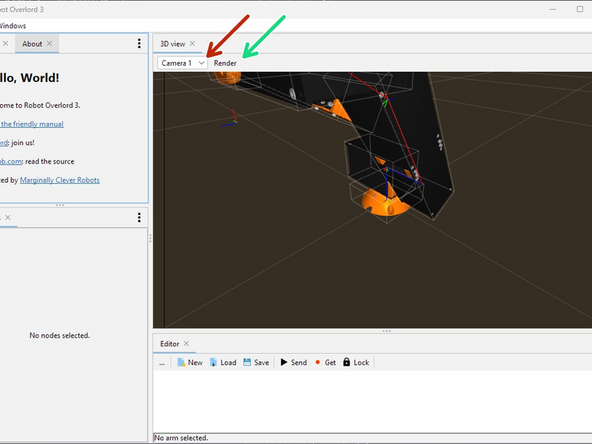
Change camera in the Scene with the 3D view > camera selector. There is always a default Camera 1
-
Render: Activate render passes. Each render pass draws one type of thing the camera might see in the 3D view.
-